Posts

Showing posts with the label formatting

Something to Read While I'm Formatting - Alien Invasion from Another 365 Days of Flash Fiction

Image
 It's been a long road to getting this one complete and ready to publish, but I'm in the last stages, now. 365 pieces of flash, one author forward and some author notes, later, and it's over 120,000 words long, and traveling the spectrum of science fiction to fantasy to a few variations in between. The piece I started the day formatting is this one: ------------------------------------------------------------------------- Alien Invasion (II)   Joseph wanted the world. He’d seen it from the liner as it docked at the orbital and fallen in love with it straight away. “How much?” he demanded from its representatives, but they’d shaken their heads. “Our home is not for sale,” they told him. “It is the only one we’ve got.” “But I want to own it,” Joseph protested, but they’d stood firm. “No.” And he’d thrown a fit, storming from the room like the spoilt brat he was—and then calling in the fleet. What he could not buy, he took. The planet’s inhabitants came for him in ...
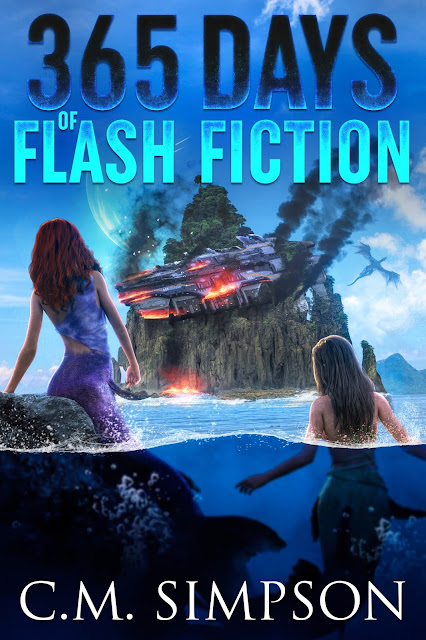
Formatting 365 Days of Flash Fiction - The Writer at Work

Image
 You might think that being a writer is just writing. Well, it's not. If you're an independently-publishing, there are a ton of other tasks, of which formatting is just one. If you're curious to see what that looks like, you can watch it happening, here: https://www.youtube.com/watch?v=BfrrEdyEsVk   Science fiction, fantasy, dark fantasy, speculative fiction and a touch of horror, this collection plays with just about every genre, touching on everything from dragons to mermaids and pixies to zombies and trolls, this collection has a little bit of everything to share.   3 RD EDITION NOTE: This edition is a renewed version of Editions 1 and 2, with the main changes being the new cover, new front and back matter, extensive re-paragraphing, Americanization of spelling, and some minor word changes. Outside those changes, most of the content remains unchanged. Cover art is by Jake at JCaleb Design . And you can find the collection here: https://books2read.com/u/4NwrOo ...

Formatting for CreateSpace—Part 3: Finishing Touches

Once my files have been reviewed, I receive an email letting me know their ready. To get that title out onto the market I take the following steps: I head on over to CreateSpace and log in, select the title whose files are ready and click on it. This takes me to the Project Homepage for that title. Under the Review column, I click on ‘Proof Your Book’, which usually has a note under it telling me ‘Action Required’. This takes me to the ‘Proof Your Book’ page. I usually select the ‘View a Digital Proof’ option. This allows me access to a digital proofer as well as the ability to download a PDF proof, which I can print and go through with a pen, if I wish. I usually just click on ‘Launch Digital Proofer’, although there is also the possibility of ordering a printed proof. After I click on the ‘Launch Digital Proofer’ button, I am taken to a digital proof of the book. By clicking on the ‘Get Started’ button, in the pop-up box that appears after the proof is loaded, I am able to view...

Formatting for CreateSpace—Part 2: Cover Creation, Book Distribution and Pricing

And on to cover creation. Firstly, some general notes: Once you are happy with the content, make sure your cover is ready for upload. This may be difficult to do, if you don’t know the cover size for the template you’ve chosen, so be prepared to make adjustments the first time, and then write down the sizes of covers you are going to format for on a regular basis. If you hire out for your covers you will need to be able to provide these details to your cover creator. I tend to create the design in GIMP, and then use the base cover I’ve created when creating the front cover for the CreateSpace version. You might use a professional cover designer or some other means to create your cover. Some CreateSpace specific notes: I use the CreateSpace cover generator and this means I cannot have colour to the very edges as the cover generator registers these colours and warns me that I could lose cover content. There is a shaded area in the cover generator that indicates where co...